
Bonsai 2.5 local coding: what did an 8GB GPU finish?
PrismML has released the roughly 6GB Bonsai 2.5. An 8GB GPU user passed 75 of 78 attempts but still hit rate-limiting and filename failures. Which jobs are worth trying with a local coding agent?
On November 24, PrismML released Bonsai 2.5 27B, a coding model compressed from Qwen3.8 27B with around 6GB of weights, still under the Apache 2.0 license. This update focuses on sustaining tool use, understanding test results and continuing to revise code in response to errors.
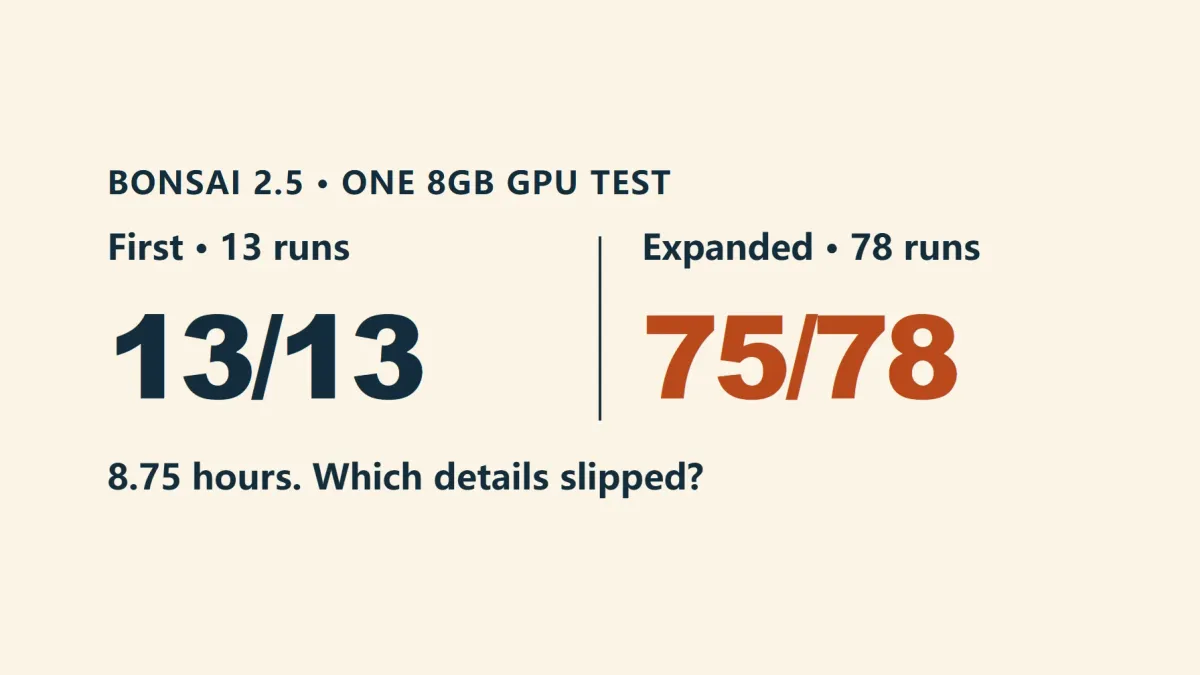
That gives computers with 8GB of VRAM a new job worth trying: handing small coding tasks with tests to a local model and seeing whether it can finish them. Among the community reports following the release, one laptop experiment stands out. The model initially passed all 13 tasks; an expanded run then lasted 8.75 hours and passed 75 of 78 attempts. The three failures exposed engineering details it can still miss.
For developers who already have an 8GB GPU, our view is that it is worth trying. Small fixes, scripts and tasks whose results can be checked with tests now have concrete examples to draw on. Start with the hardware you have and tasks in an isolated copy of a project.
From 13 tasks passed to 78 attempts
Reddit user majmichu used a laptop with an RTX 5060 Laptop GPU, 8GB of VRAM and 16GB of system memory. He offloaded every model layer to the GPU, using an approximately 6.2GB PTQ1_0 file with MTP and PrismML's own fork of llama.cpp. The llama.cpp software runs models locally; MTP speeds up generation by predicting several subsequent chunks of text before checking them.
This setup also gave the model a 54K context window. Context is the material the model has in front of it while working, including instructions, code and tool results. More material takes more space to store. The author set the context cache to q4_0 to reduce its VRAM footprint.
He first tried 13 small projects once each, passing all 13 according to his hidden tests. He then switched to 26 tasks, repeating each three times for 78 attempts in total. The expanded run passed 75 attempts in 8.75 hours, averaging 6.6 minutes each, with none reaching the 30-minute limit. Generation speed in this run was about 70.3 tokens per second; a token is a unit of information that a model processes and generates.
The expanded run soon caught a problem the first round had missed: API rate limiting. Rate limiting temporarily rejects requests when too many arrive, and this task required the program to return the relevant information correctly. Bonsai passed it in the first round but succeeded in only one of three attempts in the expanded test.
In the other two attempts, the program returned the 429 status code for too many requests but omitted the Retry-After response header. That header tells the caller how long to wait before trying again. The program could reject requests, but other programs connecting to it received no waiting time. Checking only whether rate limiting kicked in could easily miss that gap.
The third failure came in a Bash task to find duplicate files. It required processing 4000 files within 10 seconds and handling unusual filenames correctly. In one attempt, Bonsai missed a file whose name contained both a backslash and a newline.
Long-running tasks did not necessarily fail. One run of the JSON patch task took nearly 25 minutes, yet all three attempts passed. Some tasks are worth letting the model work on for a few more minutes; the rate-limiting task, meanwhile, needs tests that explicitly check the response header. Finishing quickly does not guarantee a correct result.
These results came from majmichu's setup. He is developing a free testing tool called Local Quench and has published the runner and 26 examples. Readers can obtain the tasks and hidden checks to rerun them on their own hardware.
The upgrade focuses on keeping the work moving
PrismML is also testing whether the model can sustain work on development tasks. The company's published average across three coding tests rose from 37.9 in the previous version to 54.2, compared with 60.5 for the uncompressed, full-precision version of the same base model. The company's claim of retaining roughly nine-tenths of its coding performance therefore refers to the ratio between these average scores.
Among those tests, SWE-bench Verified, which asks models to fix issues in real software repositories, rose from 60.8 to 75.6. PrismML says the update focuses on improving how the model reads tool feedback and keeps correcting itself after failures, reducing repeated ineffective actions.
Bonsai compresses a 27B model to around 6GB through ternary quantization. In simple terms, weights that would otherwise use more precise numbers are reduced to three possible values: negative one, zero and positive one. That cuts storage requirements. Smaller weight files leave ordinary devices more room for the code and tool results being processed.
Another report came from Hacker News user ariwilson. Using a Q2 version on a Mac mini M5 Pro with 24GB of memory, he reported generation speeds of about 22 to 25 tokens per second in a Python test, with room for a 128K context window. He later used the coding tool pi to make a simple fix for mobile uploads that could bypass a size limit. The 25 tests found no other breakage.
Bonsai 2.5 local coding: match the file to the runner
When getting started, one of the first pitfalls is a mismatch between the model file and the software running it. Bonsai comes in several compressed formats with similar names but different runtime requirements.
PTQ1_0 and PQ2_0 files require PrismML's fork of llama.cpp. The 8GB laptop used a PTQ1_0 file with MTP, approximately 6.2GB in size. To follow the author's experiment as closely as possible, start with that combination, then check the context and cache settings.
Q2_0 files work with the official llama.cpp mainline, but require at least b11556. This base file is about 7.67GB, larger than the most compact PTQ1_0 file. Older mainline versions can load the file but then produce garbled output. After a successful load, check that the model can answer normally and use tools.
The roughly 6GB figure refers to the weights; running the model also requires space for the context cache and other components. The author used a 54K context window on his 8GB GPU. The model's advertised 262K maximum does not mean that GPU can simply run at the full setting. Longer context settings generally mean the cache uses more VRAM, so adjust them to the VRAM actually available.
For now, the best starting point is a small fix in an isolated copy of an existing project. Define the acceptance criteria first, let the model read and edit the code, then hand the result to tests. The missing response header in the rate-limiting task and the missed filename in the duplicate-file task can both become test cases of your own. For developers who already have an 8GB GPU, Bonsai 2.5 deserves a place on the shortlist: let it take on one small, tested task locally, then expand the work once that succeeds.