
Choosing between Tencent LoopForge Local and the team platform
Tencent LoopForge reached GitHub Trending. It adds testing and human approvals to Codex and Claude Code workflows. Before deploying the platform, decide who will pick up the work.
On November 14, a LoopForge user reported an issue on GitHub. All seven stages of a front-end task had passed, and a reviewer had approved the work. After the platform cleaned up the workspace, the user discovered that changes to 22 files were still uncommitted. The delivery record held only a list of files. A project collaborator confirmed the loss the following day.
That same weekend, Tencent’s open-source LoopForge appeared on GitHub Trending. It puts code review, testing and delivery into one workflow after tools such as Codex and Claude Code finish writing code. If you maintain a project on your own, start with Local. The team platform comes in handy when a colleague needs to review the evidence before signing off.
Pick up where you left off with Tencent LoopForge Local
If you maintain a product on your own, you can start with LoopForge Local. It adds built-in workflows to the coding assistant you already use, with no separate server to run. A small copy edit can go through a short workflow. For a change that spans several modules, you can confirm the scope first, then handle design, implementation, review and testing in separate stages.
Tencent’s Local documentation gives the default location for task files as artifacts/{task_slug}/ in your project. With the Classic workflow for Codex, for example, the next time you open the same project, check the approved requirements and any existing test reports in the task directory. Then run $devflow-codex resume {task_slug} to continue from the unfinished stage.
Consider the team platform when someone else signs off
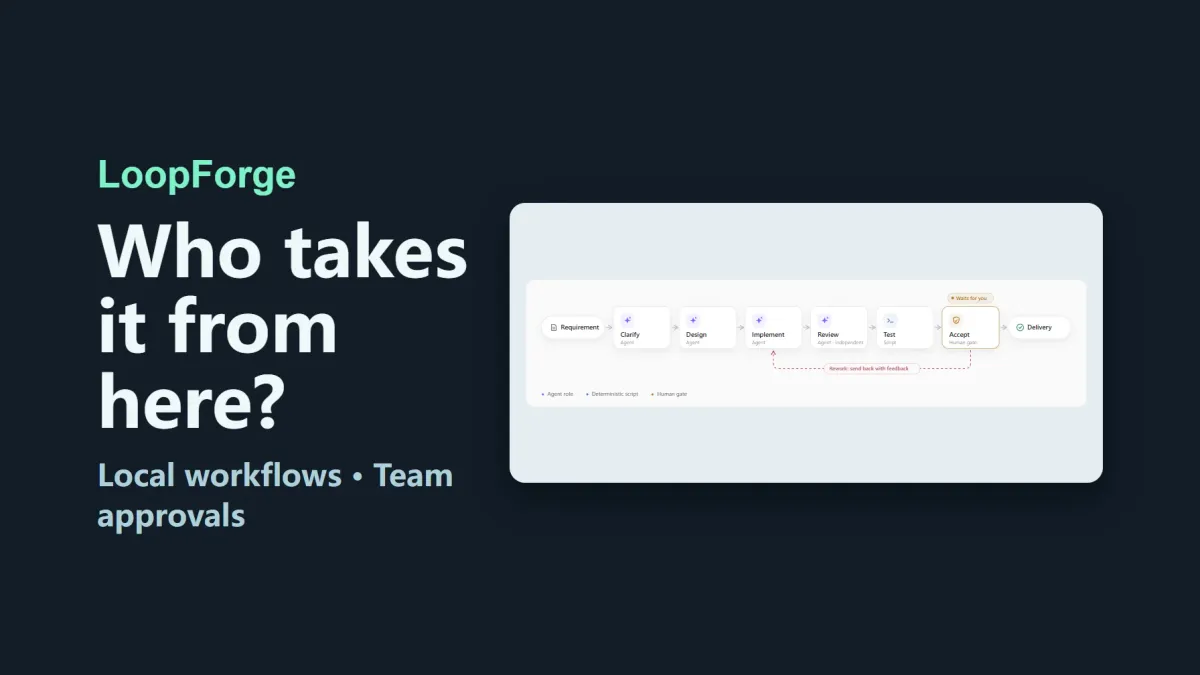
Tencent’s documentation shows a bug fix workflow that pauses after a script runs the tests so the reviewer can inspect the changes and test results. The reviewer can send the task back to implementation if something is wrong, or approve it and let it proceed to delivery. Teams can add their own test scripts and approvers to the workflow and see what each step produced on a shared run page. Local runs only the built-in workflows and currently cannot import custom workflows from the platform.
The platform comes with a demo that needs no model API key. A script runs, the workflow waits for your approval, and then it resumes. Running an actual AI coding task still requires configuring model access for the tool you choose. The default deployment is unsuitable for sharing a single platform instance among customers who don’t trust one another.
After approval, check where the changes were delivered
In the reported case, the reviewer had already approved the work. As configured for that run, the delivery step did not push a branch, and the reporter could no longer retrieve the uncommitted changes after cleanup. On November 15, a project collaborator said they had implemented and tested warnings and logging for cases where unsaved changes remain before cleanup. According to that reply, the warning does not stop cleanup. In a trial run, specify which branch or retrievable artifact will hold the code and where the next person can find the test results.
Solo developers can try Local on a small change they already need to make, then pick up the work the next day using only the artifacts in the project. If every change and its test results also need a colleague’s sign-off, try running that workflow on the platform. Follow the workflow until your colleague can retrieve the code, then decide whether the service is worth maintaining long term.