How to fix AI API 429 errors: RPM, TPM, and retry strategies
A developer troubleshooting guide to AI API 429 errors, request and token limits, bounded retries, and initial concurrency planning.
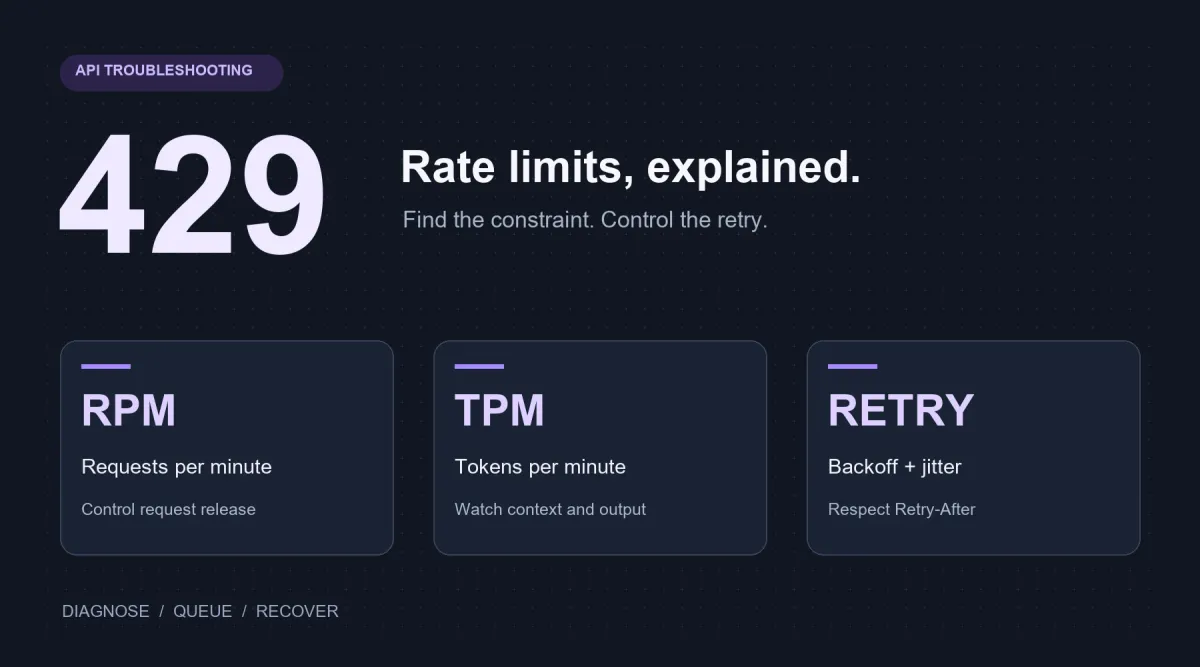
Your API works during testing, but production starts returning 429 Too Many Requests. The cause is not always a sudden increase in users. Long prompts can exhaust token capacity, several services may share one limit, and automatic retries can turn a brief traffic spike into repeated failures.
Start with the error body: identify what is being limited before reducing request traffic, cutting token usage, or addressing a quota problem. This guide explains RPM, TPM, and concurrency, walks through common causes, and provides a Python retry example with exponential backoff, jitter, and Retry-After handling.
API 429 Troubleshooting: Check These Six Things First
- Capture the status and error details. Record the time, model, request ID, error type, and response headers. Use redacted logs and do not record API keys.
- Check whether the limit is temporary. If the body identifies an exhausted quota, billing issue, or insufficient balance, repeated retries usually will not fix it.
- Find the scope of the limit. Determine whether it applies to an account, project, model, API key, IP address, or shared upstream service.
- Check both RPM and TPM. A small number of requests can still consume too many input or output tokens.
- Look for traffic bursts and nested retries. Workers starting together, scheduled jobs, and retries in both the SDK and application can multiply traffic.
- Follow the server's waiting instructions. When a valid
Retry-Afteris present, wait at least that long. Otherwise use bounded exponential backoff with jitter. Persistent failures require changes to release rates, token usage, or capacity.
See MDN's description of HTTP 429 for the status and possible rate-limit scopes. Use the current service's error body to determine the specific cause.
Why Do LLM APIs Have Different Rate Limits?
Request count alone does not describe the work an LLM must perform.
A short classification call might contain 200 tokens and return one label. A repository analysis might include thousands of input tokens and produce a long response. Both count as one request, but their token usage, execution time, and compute requirements differ.
Different limits address different traffic patterns:
- Short, frequent calls are more likely to exhaust request limits.
- Long prompts and large contexts can exhaust token capacity with relatively few requests.
- Long outputs consume more tokens and keep calls active for longer.
- Traffic bursts can exceed short-term limits even when average usage looks reasonable.
- Offline work sent through real-time endpoints competes for online capacity even when immediate results are unnecessary.
Common metrics include RPM, TPM, and hourly or daily request and token limits. Image services may also use IPM and IPD for images per minute and per day. A request can be restricted when any applicable limit is reached. Not every provider uses every metric.
RPM vs. TPM: What Is the Difference?
RPM and TPM measure different dimensions of usage.
| Metric | Meaning | Common Bottleneck |
|---|---|---|
| RPM | Requests per minute | Frequent small requests |
| TPM | Tokens per minute | Long prompts, large contexts, or long outputs |
| RPH | Requests per hour | Hourly usage limits |
| RPD | Requests per day | Daily request allowances |
| TPD | Tokens per day | Daily token consumption |
What Does RPM Measure?
RPM limits the requests allowed each minute within a particular scope. That scope may be an account, project, model, or another resource, depending on the service.
An application can reach RPM even when every prompt is short. Autocomplete, chat applications, agent loops, and workflows that split one user action into several model calls are common examples.
An agent might make separate calls for planning, tool selection, validation, and the final response. The user submits one task, while the application makes four or more requests.
What Does TPM Measure?
TPM limits the tokens counted toward rate limiting each minute. System prompts, conversation history, retrieved documents, code, reasoning content, and long outputs can increase consumption.
Record observed prompt_tokens, completion_tokens, and total_tokens, or the equivalent fields in your protocol. Rate-limit accounting is not necessarily identical to final billing usage. Some services consider estimated input or the requested output limit. Check the applicable documentation.
Consider two applications making ten requests per minute:
- Application A uses 300 total tokens per request: approximately 3,000 TPM.
- Application B uses 8,000 total tokens per request: approximately 80,000 TPM.
Both use 10 RPM, but Application B is more likely to reach TPM first.
Are Limits Per Account, Model, or API Key?
Verify the scope before planning capacity. Some services share capacity at the account or project level, with additional restrictions by model, model group, key, or other resource.
Creating more API keys does not necessarily create more capacity. If the keys share an account, project, or upstream allowance, total capacity may stay unchanged.
Do not assume different models have independent limits, or that a plan upgrade increases every metric. Check the target model, account tier, and effective limits before deployment.
Why Does Your Application Receive 429 Errors?
A 429 commonly indicates an applicable usage restriction, but the status alone does not identify which restriction was reached. Read the error code, message, and response headers.
Too Many Requests
A burst of small calls may exceed RPM. Agent workflows can generate many more API calls than the number of tasks visible in the interface.
Too Many Tokens
A few long requests may exceed TPM. Repeated system prompts, full conversation histories, large retrieval results, long code files, and unnecessary output allowances are frequent causes.
Multiple Services Share the Same Limit
Applications, backend services, workers, and keys may share account, project, model, or upstream capacity. Each service can appear lightly loaded while their combined usage reaches the limit.
Traffic Arrives in Bursts
Low hourly or daily averages do not rule out a busy minute. Scheduled jobs starting together or a queue releasing many tasks at once can create short-term peaks.
Check queue depth, request release rates, and minute-level usage alongside daily totals.
Automatic Retries Increase the Load
Immediate retries send additional traffic into a system that is already restricted. Workers that fail together can retry together, creating a retry storm and prolonging the problem.
Model-Specific or Daily Limits Apply
Some models or plans have hourly or daily request and token limits. Staying below RPM and TPM does not guarantee that other allowances remain available.
Dedicated Deployment Settings Do Not Match
For a dedicated deployment, verify the endpoint, deployment name, model ID, and key permissions. A request accidentally sent to a shared endpoint may encounter a different set of restrictions.
Whether dedicated capacity removes particular shared limits, and which gateway or instance limits remain, depends on the deployment. Dedicated does not mean unlimited throughput.
If the error identifies a balance, billing, permission, or exhausted long-term quota issue, address that condition before retrying. When details are insufficient, provide the service operator with the request ID, time, and redacted error response.
How to Distinguish 429, 503, 504, and Configuration Errors
Not every temporary API failure is a rate-limit error. Identify the status first, then inspect the error details.
| Status | Common Meaning | First Action |
|---|---|---|
| 429 | Request, token, or other usage restriction; some services also report quota issues this way | Identify the restriction; throttle and back off for temporary limits, or resolve the quota issue |
| 503 | Temporary service unavailability, possibly due to load or maintenance | Check service status; retry suitable tasks within limits or use a validated fallback |
| 504 | A gateway did not receive an upstream response in time | Check task status, duration, and timeouts; avoid resubmitting work already in progress |
| 400 | Invalid request format or parameters | Correct the request using the error body; invalid model IDs may use other status codes |
| 401 | Missing or invalid authentication | Check the key, authentication header, and destination service |
| 403 | Insufficient permission | Check account, project, and model access |
| 404 | Missing endpoint, model, or resource | Check the base URL, path construction, API protocol, and resource ID |
Repeated 504 errors on long non-streaming calls may not improve if the same call is simply submitted again. Where supported, evaluate streaming, shorter outputs, or changes to client and gateway timeouts.
Streaming can keep data moving, but does not increase RPM or TPM and cannot prevent every upstream execution timeout. For asynchronous jobs, check the existing task status before submitting another job.
How to Handle Rate Limits and Retries Correctly
Retry only suitable temporary failures, with limits on attempts, waiting, and overall business duration. Establish whether repeating the operation is acceptable before selecting a retry policy.
Use Exponential Backoff
Increase the delay after consecutive failures, for example approximately one, two, four, and eight seconds. Bound both the delay and total attempts. See the AWS explanation of backoff and jitter for the underlying approach.
Add Jitter
Add a random offset to the delay so clients do not all retry at the same moment. Otherwise requests that fail together may arrive together again.
Use a Queue to Control Request Release
A queue absorbs bursts and releases work at a sustainable rate. Interactive requests can receive priority while background jobs wait.
Token buckets and leaky buckets control when new requests are released. A concurrency cap controls how many calls are active. These mechanisms solve different problems and often work together.
Set a Maximum Attempt Count
For some applications, three to five total attempts can be a starting point, adjusted for latency and business cost. Five attempts includes the initial request; it does not mean five additional retries.
After the last failure, return a clear error, defer the job, or use an approved fallback. Interactive work also needs an overall deadline so it does not continue long after the user has left.
Do Not Repeat External Side Effects
Agents may call payment systems, databases, file operations, or other tools. Retrying a model call should not automatically repeat a business operation that already succeeded.
Use idempotency keys, operation IDs, task state, and deduplication to protect downstream actions. A network timeout does not prove that the server did nothing; another generation request may incur another charge.
Use One Retry Layer and Handle Retry-After
Retries in both the SDK and application can multiply attempts. Disable SDK retries when applying an application policy, or account for both layers in the budget. The official OpenAI rate-limit guide describes these retry boundaries.
Retry-After can contain a delay in seconds or an HTTP date. A valid server hint specifies the minimum wait. If that wait exceeds the task's budget, stop and defer the task rather than retrying earlier. See MDN's Retry-After reference for the formats.
The following Python example targets an OpenAI-compatible Chat Completions endpoint. It disables SDK retries, bounds total attempts and cumulative retry sleep, and stops immediately for recognized quota or billing error codes.
Install openai and configure API_KEY, API_BASE_URL, and MODEL_ID. Use the full base URL supplied by the service documentation, and adapt parameters such as max_tokens to the target model. The example requires Python 3.10 or later.
import math
import os
import random
import time
from datetime import datetime, timezone
from email.utils import parsedate_to_datetime

from openai import APIConnectionError, APIStatusError, OpenAI

client = OpenAI(
    api_key=os.environ["API_KEY"],
    base_url=os.environ["API_BASE_URL"],
    max_retries=0,
    timeout=30.0,
)

# Extend this set with the documented error codes of your API provider.
NON_RETRYABLE_CODES = {
    "insufficient_quota",
    "billing_hard_limit_reached",
    "billing_not_active",
}


def parse_retry_after(value: str | None) -> float | None:
    if not value:
        return None
    try:
        seconds = float(value)
        return max(0.0, seconds) if math.isfinite(seconds) else None
    except ValueError:
        pass
    try:
        retry_time = parsedate_to_datetime(value)
        if retry_time.tzinfo is None:
            retry_time = retry_time.replace(tzinfo=timezone.utc)
        seconds = (retry_time - datetime.now(timezone.utc)).total_seconds()
        return max(0.0, seconds)
    except (TypeError, ValueError, OverflowError):
        return None


def create_chat_completion(
    messages: list[dict[str, str]],
    max_attempts: int = 5,
    max_retry_wait: float = 60.0,
):
    if max_attempts < 1 or max_retry_wait < 0:
        raise ValueError("Invalid retry limits")

    waited = 0.0
    for attempt in range(max_attempts):
        try:
            return client.chat.completions.create(
                model=os.environ["MODEL_ID"],
                messages=messages,
                max_tokens=800,
            )
        except APIStatusError as error:
            if (
                error.status_code not in {429, 503, 504}
                or error.code in NON_RETRYABLE_CODES
                or attempt == max_attempts - 1
            ):
                raise
            backoff = min(30.0, 2.0 ** attempt)
            server_delay = parse_retry_after(
                error.response.headers.get("retry-after")
            )
            delay = server_delay if server_delay is not None else backoff
            delay += random.uniform(0.0, min(1.0, delay * 0.25))
            if waited + delay > max_retry_wait:
                raise
        except APIConnectionError:
            if attempt == max_attempts - 1:
                raise
            delay = min(30.0, 2.0 ** attempt) + random.uniform(0.0, 1.0)
            if waited + delay > max_retry_wait:
                raise

        time.sleep(delay)
        waited += delay

    raise RuntimeError("The request failed after all retry attempts.")
max_attempts=5 permits at most five attempts. max_retry_wait=60 limits cumulative sleep only, excluding network time. Likewise, timeout=30.0 is not a 30-second deadline for the entire business operation. Implement overall cancellation and deadlines in the calling application.
Provider error codes vary: extend NON_RETRYABLE_CODES using the actual documentation. The example is not a replay policy for partially consumed streams and does not determine whether an asynchronous task or external operation already succeeded.
How to Estimate an Initial API Concurrency Limit
RPM and TPM measure throughput. Concurrency measures active requests. They cannot be substituted directly.
Assuming the token limit uses total-token accounting, observed data provides a rough starting point:
RPM-based request rate = RPM / 60
TPM-based request rate = TPM / observed total tokens per request / 60
Planned release rate = min(RPM-based rate, TPM-based rate) * safety factor
Concurrency planning estimate = planned release rate * request latency
Suppose the limits and observations are:
- 1,200 RPM;
- 60,000 TPM;
- approximately 1,200 total tokens per request;
- four-second P95 request latency;
- an 80% safety factor.
The RPM-based rate is:
1,200 / 60 = 20 requests per second
The TPM-based rate is:
60,000 / 1,200 / 60 ≈ 0.83 requests per second
TPM is the tighter constraint. Applying the safety factor:
0.83 * 0.8 ≈ 0.67 requests per second
Using P95 latency for a concurrency planning estimate:
0.67 * 4 ≈ 2.68 active requests
You could begin observing behavior with a cap of two or three concurrent calls while limiting release to approximately 0.67 requests per second. These are illustrative numbers, not any platform's actual limits.
This is only a capacity-planning starting point. Average token usage misses long-request tails, and multiplying by P95 latency is a planning heuristic rather than a strict concurrency guarantee. Request lengths, latency, server windows, and other restrictions affect the outcome.
A concurrency cap alone does not enforce RPM or TPM. Fast requests can finish and immediately be replaced, exceeding the minute-level allowance. Add request throttling and token controls that match the service's accounting.
How to Design an Application Around API Limits
Include rate-limit handling in normal traffic design instead of adding a retry loop only after production failures.
Estimate Requests per User Action
One interface action may involve planning, retrieval, tool use, and validation across multiple model calls. Plan capacity using actual call counts.
Monitor the Token Distribution
Track median, P95, and maximum input, output, and total tokens. A small number of very long requests can cause problems even when average usage looks normal.
Allocate Queues to the Actual Limit Scope
Use per-model queues and concurrency controls when models have independent allowances. Add a shared cap when models share account or upstream capacity. A single global cap and fully independent queues can both be wrong if they do not match the real rules.
Set Prompt and Output Boundaries
Remove repeated context, limit retrieval results, summarize older conversation history, and choose realistic output allowances. These changes can reduce token pressure and inference costs together.
Route Workloads to Suitable Models
Choose models for classification, extraction, reasoning, coding, and multimodal work according to quality, latency, cost, and available capacity.
Validate fallback quality and API compatibility. Switching models should not be treated as a way to circumvent service restrictions, and another model does not necessarily have independent capacity.
Move Suitable Offline Work to Batch Processing
Evaluations, document processing, classification, and large extraction jobs do not always require immediate results. Where a batch API is available, check supported models, endpoints, completion windows, prices, and limits.
Without a batch API, your own queue can process jobs at the allowed rate. Sending ordinary requests in a loop does not automatically provide a batch discount or additional capacity.
Request More Capacity When Demand Stays Near the Limit
Prompt optimization, queues, and bounded retries can manage short bursts, but cannot solve a persistent mismatch between demand and capacity.
When normal traffic stays near its limits, follow the service's process for requesting higher RPM, TPM, or other capacity. Provide expected traffic, input and output distributions, peaks, workload types, and latency requirements. Submitting a request does not guarantee approval.
Evaluate Dedicated Capacity
For sustained high throughput or more predictable capacity, evaluate available dedicated deployments. Compare throughput, latency, queueing, costs, and remaining gateway or instance restrictions. Do not assume dedicated capacity is unlimited.
FAQs About AI API Rate Limits
What Does TPM Mean?
TPM means tokens per minute. Long prompts, history, retrieved documents, reasoning, and long outputs can cause an application to reach its token allowance before reaching RPM.
Why Am I Getting 429 With Low Request Volume?
A few long calls can consume substantial token capacity. Bursts, shared allowances, nested retries, and hourly or daily limits can also trigger 429. Read the error body rather than judging usage from user counts alone.
Should I Retry Every Failed API Request?
No. Suitable temporary rate limits, selected 503 or 504 responses, and connection errors may justify bounded backoff. Correct invalid parameters, authentication, permissions, paths, billing, and exhausted long-term quotas first. After a timeout, determine whether the operation already ran.
Does Increasing RPM Also Increase TPM?
Not necessarily. They are separate constraints and can vary by model, account, project, and deployment. Confirm each when requesting capacity.
How Can I Reduce API Rate-Limit Errors?
Control request release, concurrency, and token usage. Use queues and bounded retries with jitter, shorten unnecessary context, and move suitable offline work away from real-time calls. Request more capacity or evaluate another deployment when sustained demand exceeds the available allowance.
When you are ready to continue integrating, open the API platform and verify the base URL, model ID, and credentials against the current integration documentation. Validate the configuration with one minimal request. Include a timestamp, request ID, and redacted error body when asking for troubleshooting help.
Related reading: Choosing a model.