
Claude Code password leaks: where “Don’t ask again” leaves commands
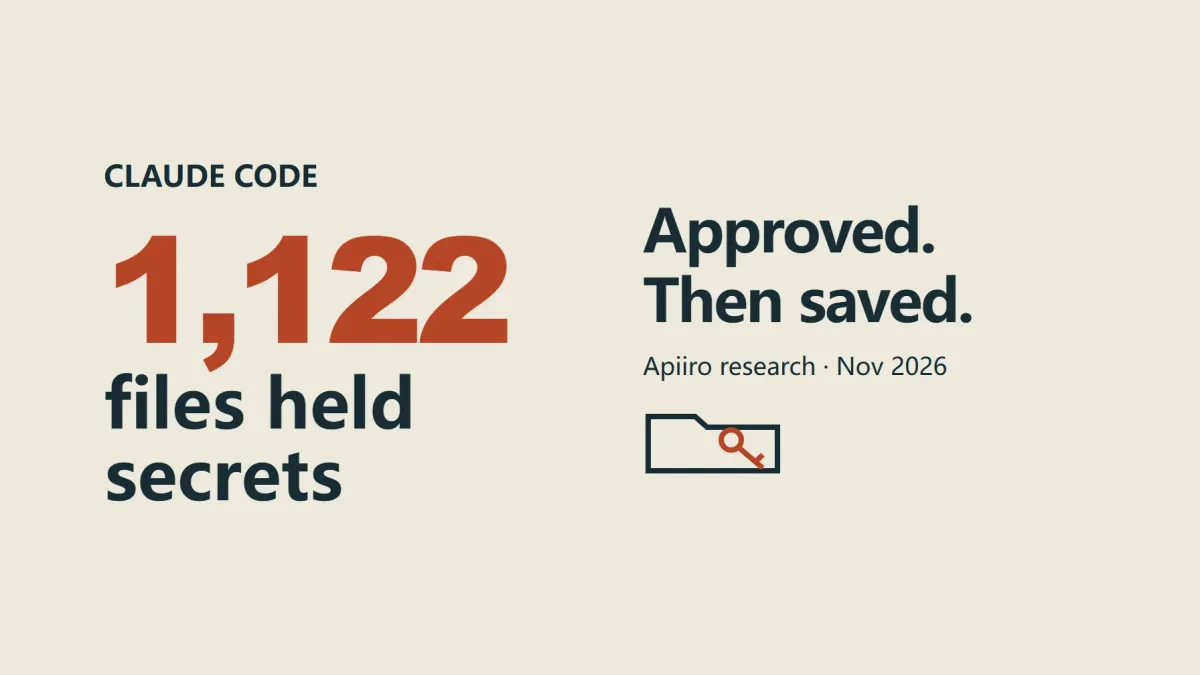
Apiiro found suspected real credentials in 1,122 public configuration files. Three questions matter: what “Don’t ask again” saves, why local files reach Git, and what to do first after a commit.
Claude Code password leaks start with commands left behind
You approve one database connection for an AI tool, just to keep the task moving. But the command containing the password may remain in the project configuration and enter the repository with the next commit.
Apiiro’s November 5, 2026 research laid out this path: when Claude Code’s “Don’t ask again” saves a full command, it may also write the credentials within it into a permission rule. The configuration file was then committed to a public GitHub repository.
After approving a full command, check the permission rules in .claude/settings.local.json: sensitive values in the command may remain in those rules and then leave the project through a Git commit. Checking only the original .env can miss this copy.
As of November 8, 2026, Apiiro reported examining 104,185 public .claude/settings.local.json files. It classified 1,122 as containing real credentials, covering 1,379 distinct values. Here, “real” means values matching a provider’s format, or passwords paired with publicly accessible hosts, among other criteria. The researchers did not try logging in with these values. The figure does not mean 1,122 intrusions, nor does it establish that all the credentials remain valid.
To check your own repository first, run git ls-files -- .claude/settings.local.json from the repository root. A path in the output means Git already tracks the file; no output means only that the current index does not track it. Then use git log --all --oneline -- .claude/settings.local.json to check history reachable through local references such as branches and tags. These two commands show only paths or commit summaries, without printing values from the configuration.
What “Don’t ask again” saves lasts longer than a click
Claude Code’s permissions documentation distinguishes between two types of approval: some apply only to the current action or session; persistent approvals for operations such as Bash are saved as rules for future sessions. The specific options in the prompt determine the scope of approval.
That gives “run tests in future” and “run this exact command in future” different consequences. The former can be a testing rule without sensitive values. If the latter contains a password, the saved text contains it too. Look beyond the “Yes” button to see exactly what the tool promises to remember.
This is not a newly discovered phenomenon. In August 2025, GitHub issue #5544 already reported that credentials in approved Bash commands were written verbatim into local settings. The issue was later closed automatically after a long period of inactivity. That closure describes the ticket’s status; it does not prove the problem was fixed in every version.
There is an easily overlooked time gap: the database query has ended, but future sessions can still read the allow rule. People often remember where they configured a key, but may not remember which expanded command they once approved. Deleting only the original key file during an investigation may leave this copy behind.
A file named local still needs a Git ignore rule
Claude Code’s settings documentation separates shared project settings from personal settings: .claude/settings.json is for team sharing, while .claude/settings.local.json is for personal overrides. When the tool first writes the latter inside a Git repository, it attempts to add the corresponding path to the user’s global Git excludes file. If you create the file manually, you need to handle ignore rules yourself.
Global exclusions are part of Git’s configuration on that machine; the repository’s .gitignore is what usually travels with the project to colleagues. These are two different storage locations. When copying a project, switching computers or taking over a file someone else already tracks, the word local in its name does not tell you whether it will enter a commit.
Historical issue #11982 on macOS and #13106 on Windows both reported related problems, all involving older versions. To assess your current environment, rely on your own Git status.
Git’s official documentation sets out the crucial boundary: ignore rules apply to untracked files; files already tracked are unaffected. Adding a line to .gitignore will not remove a file from historical commits.
| File status | What needs to happen |
|---|---|
| Untracked, not shared externally | Keep it out of commits and remove rules containing sensitive values |
| Tracked, not yet shared externally | Stop tracking it; check prepared commits and other copies |
| Public or previously shared externally | Revoke or rotate credentials first, then coordinate cleanup of copies and history |
The order depends on whether the credentials have left a controlled environment. For private repositories, assess the scope of exposure using membership, integrations and access records as well.
The team suggests auto mode; the community asks which layer it addresses
In the Hacker News discussion, Boris, who identified himself as a member of the Claude Code team, said the tool had not previously sanitized credentials and that the team was considering prevention. He also recommended using auto mode and enabling secret scanning. According to the official permissions documentation, auto mode uses a classifier to review actions, reducing prompts for people to approve them individually.
The disagreement in the comments is instructive. One side noted that repeated approval prompts gradually train people to stop reading them; the other asked what security guarantees automated decisions can actually provide. People get tired, and automatic approval also needs clear boundaries.
For this incident, we focus on three concrete capabilities: who approves command execution, where sensitive values are saved, and where the saved files can go. Reducing prompts mainly changes the first. It does not automatically revoke passwords already made public. Check the other two when choosing an approval mode as well.
Apiiro’s scan also found that, among the 1,122 files containing credentials, 215 were flagged by neither gitleaks nor TruffleHog in its tests. That result reflects this sample and how the tools were run; it cannot be generalized into a fixed miss rate across all configurations. It is a reminder to inspect the actual contents of commands and files even after a scan passes.
Already committed it? Replace the key first
GitHub’s guide to removing sensitive data puts revoking or rotating credentials first. The reason is straightforward: deleting a file changes the repository’s contents; revoking a credential changes whether the old value can still access a service.
If a project you manage may be affected, follow the sequence below.
- Use the two read-only commands above to confirm the current tracking status and history. Finding no local record still does not rule out copies in someone else’s clone or in deleted references.
- Revoke or rotate exposed values in services you are authorized to administer, update applications that depend on them, and inspect relevant access logs. Do not paste the original values into tickets, chats or public screenshots when asking for help.
- After assessing the impact on collaborators, stop tracking the local configuration and add project ignore rules. If you need to clean history, follow GitHub’s guide to coordinate with colleagues across branches and clones. Force-pushing directly may overwrite someone else’s work, and old clones may reintroduce sensitive content.
- Return to the source of the command. Where possible, have controlled tools retrieve values from a secrets management system rather than embedding passwords directly in approval text. Variable names can reduce the chance of plaintext appearing in rules, but process environments, tool logs and output still need separate checks.
When committing AI-generated code, also read the configuration and records the tool added. Next time you prepare a commit, review those changes in the diff too.
Further reading
Our earlier article on Claude Code email exfiltration examined what requests carried. This article concerns local retention and Git commits; the two paths need separate handling. For another example involving extensions to team tools, see our review of Postman’s automatic plugin installation.