
Claude Fable 5.2 usage limits: Pro access and resets explained
Pro and standard Team seats can try Fable using their weekly allowance. See what a reset restores when you have used 80% and when paid usage credits kick in.
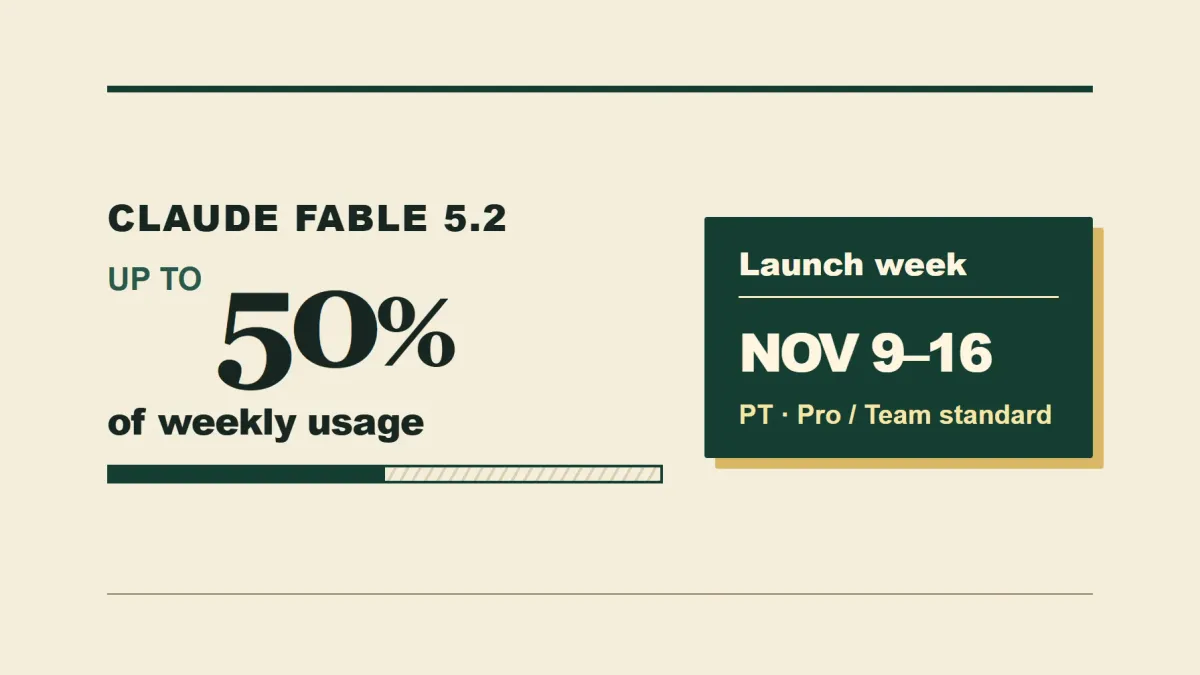
After Claude Fable 5.2 launched, someone on r/ClaudeCode asked whether a Fable reset would also give back the usage they had spent on Opus that week. Open Settings → Usage and you will see two separate limits. On the weekly meter, you get back only what you spent on Fable. If your account has a five-hour limit, that window refills completely.
As of November 10, 2026, Claude Pro and standard Team seats can spend up to half their existing weekly allowance on Fable models during the launch offer. Once the offer ends or you reach that cap, you need paid usage credits to keep using Fable. If you have enabled them, further usage is charged against those credits. Check Settings → Usage before you pick a task for the new model.
Claude Fable 5.2 usage limits: What happens at 80%?
Take the Claude Help Center example. Say you have used 80% of your weekly allowance. Fable accounts for 50 percentage points and other Claude models for 30. One Fable reset brings weekly usage back down to 30%.
| Usage | Before reset | After reset |
|---|---|---|
| Fable models | 50% | 0% |
| Other models | 30% | 30% |
| Weekly total | 80% | 30% |
You now have 70% of your weekly allowance left, and up to 50 percentage points can go to Fable. If you had already spent 80% on other models, you would have just 20 percentage points available for Fable. Both draw from the same weekly allowance.
The five-hour window works separately. If your account has one, a Fable reset clears all usage in that window, including usage from other models. Verified Ultra accounts have no five-hour limit, so the reset only affects weekly usage. In a V2EX thread about the launch, one user reported hitting the five-hour limit first on a long task. You may have to wait for that window to refresh even with weekly allowance left.
When the offer ends for Pro and standard Team seats
For Pro and standard Team seats, the offer runs from launch until 11:59 p.m. PT on November 16, or 3:59 p.m. Beijing time on November 17. Fable 5, 5.1, and 5.2 all count toward the same Fable cap. One free reset is available to accounts that had set up paid billing before 10 a.m. PT on November 9, or 2 a.m. Beijing time on November 10. Team users must also have joined an organization with paid billing before the cutoff. If your trial started before the cutoff, you can claim the reset once it converts to paid. Self-serve Team trials count as paid. This free reset expires when the offer ends.
In Settings → Usage, find Limit resets and select Reset for free. You cannot undo it. If there is time left before expiry, check how much of your weekly usage came from Fable. If most of it came from other models, you will get little of your weekly allowance back. If the five-hour window refreshes in a few minutes, consider whether the job needs to resume right now. As the offer ends, check the expiry shown on the page. Unused promotional allowance and this free reset do not carry over.
Max, Ultra, Team premium seats, and premium seats on legacy seat-based Enterprise plans already include Fable in their subscription allowance. Eligible subscribers receive one reset if they have paid for less than six months, two for six to twelve months, and three for more than twelve months. On Team plans, the clock starts with the first paid bill for the organization. These resets expire at 11:59 p.m. PT on March 8, 2027, or 3:59 p.m. Beijing time on March 9. The usage page shows how many resets you received and when they expire.
API prices fell. Check your subscription meter separately.
Anthropic released Fable 5.2 and Mythos 5.2 on November 9. They share the same underlying model. Fable is available to paid users, while Mythos is limited to approved organizations. The platform release notes list a 20% cut in standard Fable API prices: from $10 to $8 per million input tokens and from $50 to $40 per million output tokens. TechCrunch reporter Russell Brandom also covered the price cut and the separately priced fast mode.
The subscription meter tracks how much usage you have left on your plan. Anthropic says Fable uses that allowance faster than other Claude models. Team users also need an administrator to enable the model. The regular plan guide lists the available apps. On web and desktop, use the model picker. Anthropic requires Claude Code 2.1.321 or later. After the launch week, Pro and standard Team seats return to the regular paid usage credits arrangement.
If a long report contains three conflicting figures, use it to try Fable. Ask the model to find the source of each figure, what it covers, and what still needs checking. Check the usage meter before and after the task. Keep the result and the change in usage so you can decide whether to switch models next time. For a comparison in the terminal, see our Claude Code beginner guide and example of project permissions.